For Day-to-Day. For Pros.
We Love Lights is the easiest yet most powerful app for Mac users to control your Philips Hue lights and Zigbee devices on macOS.
Complete Feature List
Window Application
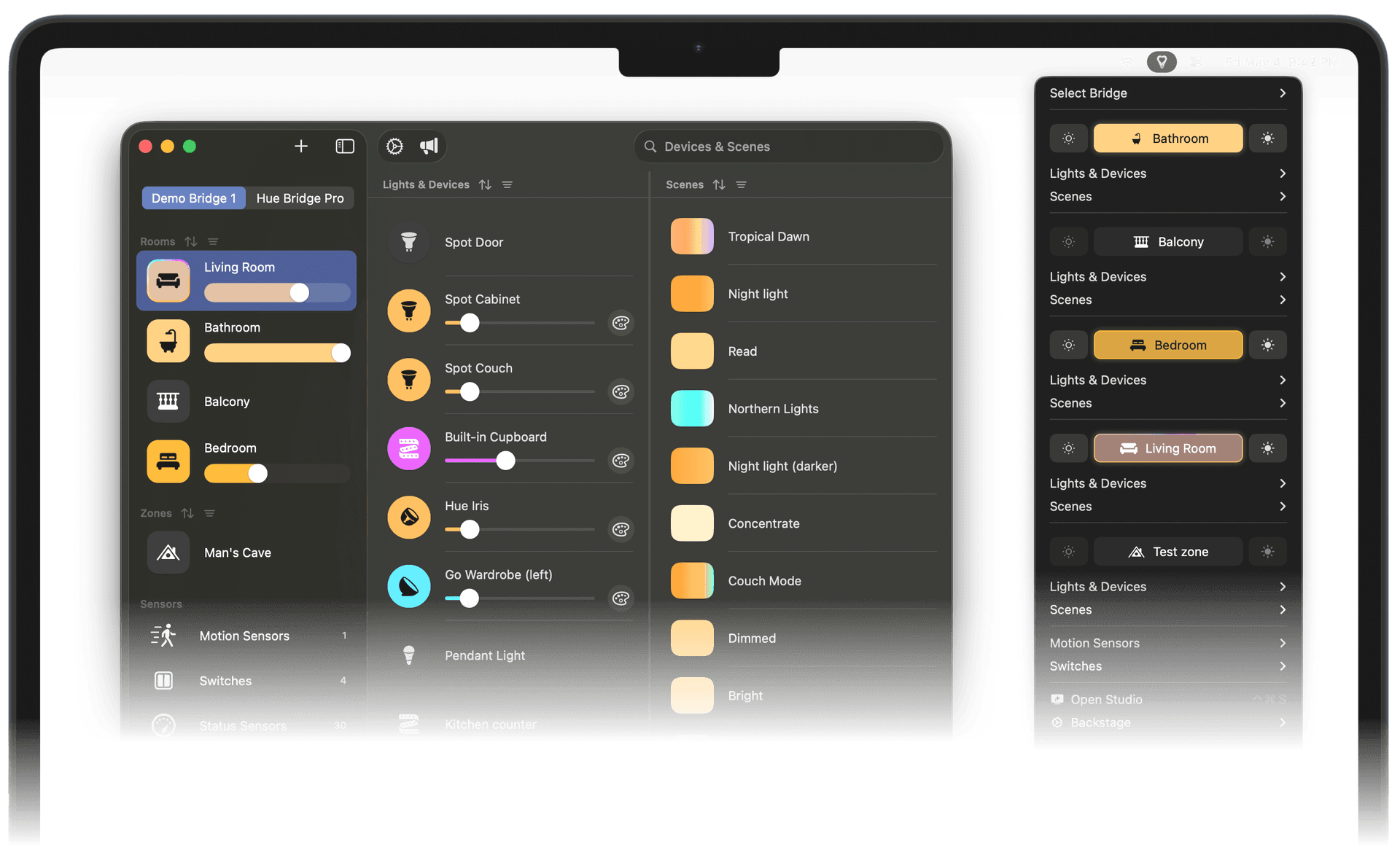
For those who prefer a traditional application window, We Love Lights offers a beautiful, intuitive interface with all features at your fingertips. The window application provides a comprehensive view of all your lights, devices, rooms, motion sensors, switches, status sensors, and scenes with advanced controls and customization options.
Menubar Application
We Love Lights lives in your menubar, providing instant access to all your Philips Hue lights. Control brightness, colors, and scenes without opening a window. The menubar app is lightweight, fast, and designed to stay out of your way until you need it.
Global Hotkeys
Set up global keyboard shortcuts to control your lights and devices from anywhere in macOS. Toggle lights on and off, adjust brightness, switch scenes, and more—all without leaving your current task. Perfect for productivity enthusiasts and power users who prefer keyboard-driven workflows.
Customizable Lights
We Love Lights gives you complete control over your lighting setup. Adjust colors with precision using HSB, RGB, or XY color pickers. Set exact brightness levels, color temperatures, and transition times. Group lights, rename them, and organize your space exactly how you want it.
Color Scenes
Save your favorite lighting configurations as scenes and recall them instantly. Create scenes for work, relaxation, movie nights, or any activity. We Love Lights supports all native Hue scenes and lets you create unlimited custom scenes with precise control over every light in your setup.
Motion Sensor Management
Configure and manage your Philips Hue motion sensors directly from the app. Set up automated lighting rules based on motion detection, adjust sensitivity, and customize behavior for different times of day. Create smart lighting that responds to your presence automatically.
Switch Control
Take full control of your Philips Hue switches. Customize button actions, assign scenes, and create complex lighting behaviors. We Love Lights provides an intuitive interface for programming your switches exactly how you want them to work.
Rule Editor
The built-in rule editor lets you create sophisticated automation based on sensors, switches, time schedules, and more. Set up rules for automatic dimming, motion-activated lighting, or complex multi-light sequences. The visual rule editor makes it easy to build powerful automations without coding.
Shortcuts Integration
We Love Lights integrates seamlessly with Apple Shortcuts, allowing you to control your lights as part of larger automation workflows. Trigger lighting changes from Siri, create complex multi-app automations, or control your lights based on location, time, or any other Shortcuts trigger.
Multi-Bridge Support
If you have multiple Philips Hue bridges across different locations—home, office, or vacation property - We Love Lights can manage them all from one place. Switch between bridges seamlessly, control lights across multiple locations, and maintain separate configurations for each setup.
Remote Access
Connect to your lights remotely through Philips Hue's secure cloud service. Check if you left lights on while you're away, turn them on before you arrive home, or create the appearance that someone's home while you're traveling. Remote access works seamlessly with all We Love Lights features.
Blazing Fast macOS App
We Love Lights is a 100% native macOS application built with Swift and optimized for Apple Silicon. It launches instantly, uses minimal battery power, and feels right at home on your Mac. With support for all macOS features including Dark Mode, full keyboard navigation, system integration, and Retina displays, it's the Mac app you expect.

Menubar Application

Global Hotkeys

Customizable Lights

Color Scenes

Motion Sensor Management

Switch Control

Rule Editor

Shortcuts Integration

Multi-Bridge Support

Remote Access

Blazing Fast macOS App